Turn Your Video Clips Into Complete Movies
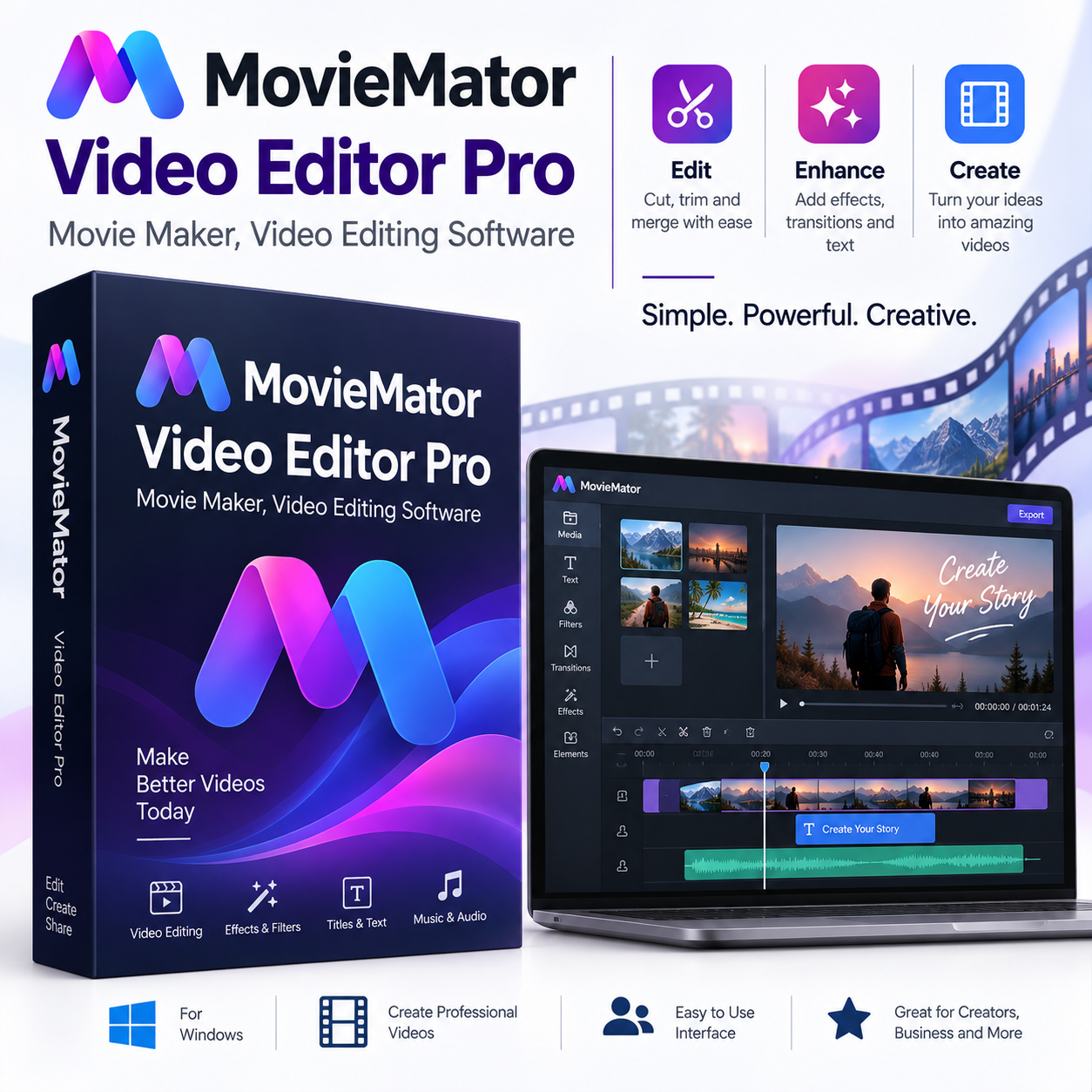
MovieMator Video Editor Pro is a versatile video editing application designed for creating movies, personal videos, presentations, slideshows and other multimedia projects.
Instead of treating each recording as a separate file, MovieMator gives you a timeline-based workspace where you can combine clips, arrange scenes, edit audio, add transitions and apply visual effects to create a finished video.
Whether you’re putting together holiday footage, editing action-camera recordings, creating a family movie or preparing content for online use, MovieMator provides a practical set of tools for everyday video editing.
Edit Video, Audio and Images on the Timeline
MovieMator supports a flexible timeline workflow with multiple video and audio tracks. You can assemble clips and make precise edits directly on the timeline.
Core editing functions include:
- Trimming and splitting clips
- Cropping and rotating video
- Merging video segments
- Adjusting clip position and size
- Separating audio from video
- Adjusting audio volume
- Creating slideshows from photos and music
- Arranging multiple media elements within a project
This makes it possible to build everything from short edited clips to larger movie projects.
Keyframe Animation and Creative Effects
One of MovieMator’s more advanced features is keyframe-based animation. Keyframes can be used to control movement and other visual changes throughout a clip, allowing you to create more dynamic effects than simple cuts and transitions.
The software also includes more than 40 filter effects, including options such as blur, old film, sharpen, stabilization, vignette and white balance.
You can combine these effects with your footage to change its appearance or give different scenes a distinct visual style.
Picture-in-Picture and Video Stabilization
MovieMator includes Picture-in-Picture (PIP) functionality, allowing multiple videos to appear within the same project.
This can be useful for tutorials, demonstrations, commentary videos and other projects where one video needs to appear over another.
The software also provides video stabilization for reducing unwanted camera movement in suitable footage, including recordings made with action cameras.
Transitions, Subtitles and Speed Control
Transitions can help connect scenes without relying only on simple cuts. MovieMator includes more than 20 transition effects, including dissolve, iris and other transition styles.
You can also add personalized subtitles to your projects and adjust playback speed to create fast-motion or slow-motion sections.
These tools give you additional control over the pacing and presentation of your finished video.
Work With a Wide Range of Media Formats
MovieMator is designed to work with a broad selection of video, audio and image formats.
The software supports formats including MP4, AVI, MPEG, WMV, MKV, MPG, RMVB, M4V, 3GP, FLV, TS, VOB, F4V, MP3, WAV, MKA, OGG, FLAC, AAC, JPG, PNG, TIF, BMP and SVG. It also supports 4K Ultra HD and H.265 media.
This makes it easier to bring footage from different cameras, phones, screen-recording software and other sources into the same editing project.
Export and Continue Working on Projects
After editing, MovieMator provides video export options with customizable parameters such as resolution, frame rate, aspect ratio and encoding.
Projects can also be saved for continued editing later, while the software includes automatic project saving when a window closes unexpectedly.
Who Is MovieMator Video Editor Pro For?
MovieMator is suitable for users working on:
- Personal and family movies
- Travel videos
- YouTube and online video projects
- Tutorials and presentations
- Action-camera footage
- Photo slideshows
- Short movie projects
- Video compilations
- Creative multimedia projects
It offers more than basic trimming while remaining focused on the practical editing tools most users need for everyday video production.
Steam Activation
This product is supplied as a Steam CD Key. The Kinguin listing identifies the platform as Steam and specifies key activation.
A Steam account and the Steam client are required for activation and use.
Important Information
MovieMator Video Editor Pro was released in December 2018.
The Steam listing currently specifies Windows and macOS system requirements. Because Steam’s own client requirements have changed over time, customers should check their current Steam client and operating-system compatibility before purchase.
Product details will be delivered electronically after purchase. Please refer to our Shipping Policy for delivery information.
FAQ
What is MovieMator Video Editor Pro?
MovieMator Video Editor Pro is video editing and movie-making software for creating and editing video projects, with tools for video, audio and image editing.
Is this a Steam product?
Yes. The product is supplied as a Steam CD Key and requires Steam for activation.
What can I do with MovieMator Video Editor Pro?
You can trim, split, crop, rotate and merge clips, arrange media on a timeline, add subtitles and transitions, apply filters, adjust playback speed and work with multiple video and audio tracks.
Does MovieMator support 4K video?
Yes. The Steam product information lists support for 4K Ultra HD and H.265 media.
Does it support Picture-in-Picture?
Yes. MovieMator includes Picture-in-Picture functionality for displaying multiple videos within the same project.
Does MovieMator include video stabilization?
Yes. The software includes stabilization functionality for suitable video footage.
Can I add subtitles and transitions?
Yes. MovieMator supports personalized subtitles and includes more than 20 transition effects according to the Steam product description.
Does it support audio editing?
Yes. You can work with multiple audio tracks, separate audio from video, adjust volume and use audio filters.
What platforms are listed?
Steam lists Windows and macOS system requirements for the product.
Is this a physical product?
No. This is a digital Steam CD Key.
How will I receive the product?
Product details will be delivered electronically after purchase. Please refer to our Shipping Policy for delivery information.
Reviews
There are no reviews yet.